


AI Stylist & Outfit Planner
AI outfit planning for clothes you already own
Let Pureple’s AI suggest outfit combinations from your own clothes. Create your digital wardrobe, organize your pieces and discover new ways to wear them in the iOS or Android app. Adding wardrobe items and creating outfits manually are free, with no quantity limits. AI Style Me suggestions require Pureple Pro.
From your clothes to outfit ideas
Add your clothes
Add photos of your tops, bottoms, shoes and accessories in the Pureple app. Start with the pieces you want to wear and build your wardrobe gradually.
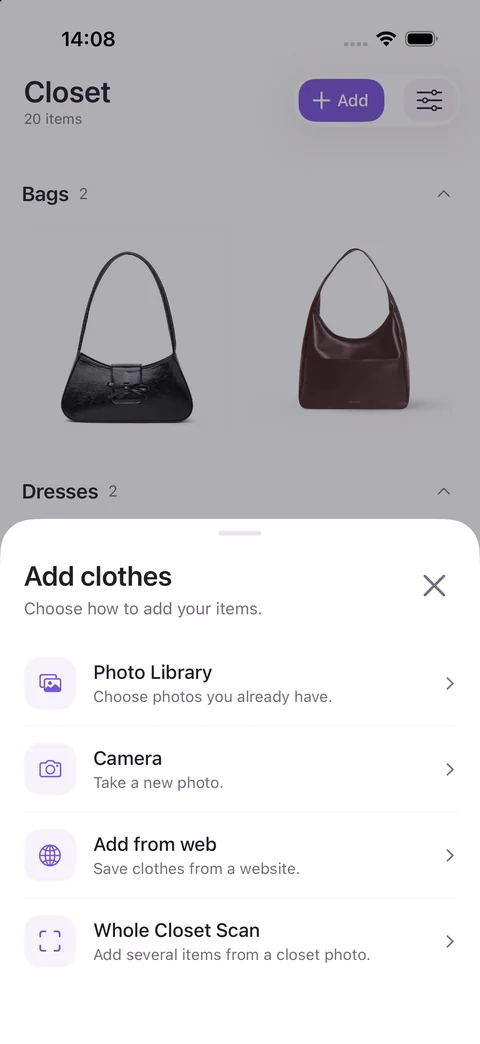
Choose how to add your clothes in Pureple for iOS. Organize your wardrobe
Automatic categorization helps organize the pieces you add. Use details such as season, occasion and color to find clothes for the outfit you want.
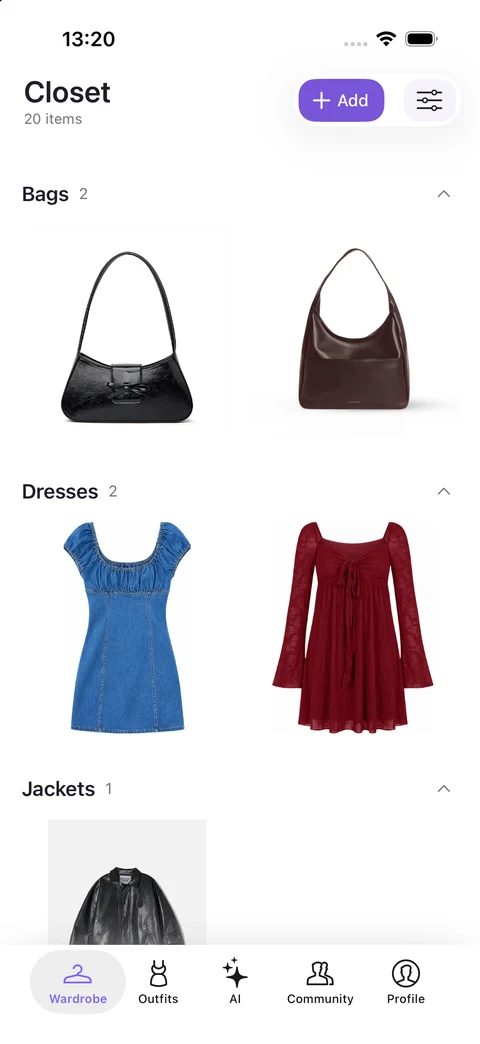
Organize your clothes by category in Pureple for iOS. Get AI outfit suggestions
Ask Pureple’s AI for combinations using the clothes in your digital wardrobe. Keep outfit ideas together and use your saved outfits to plan what to wear. AI Style Me requires Pureple Pro. You can also create outfits manually for free.
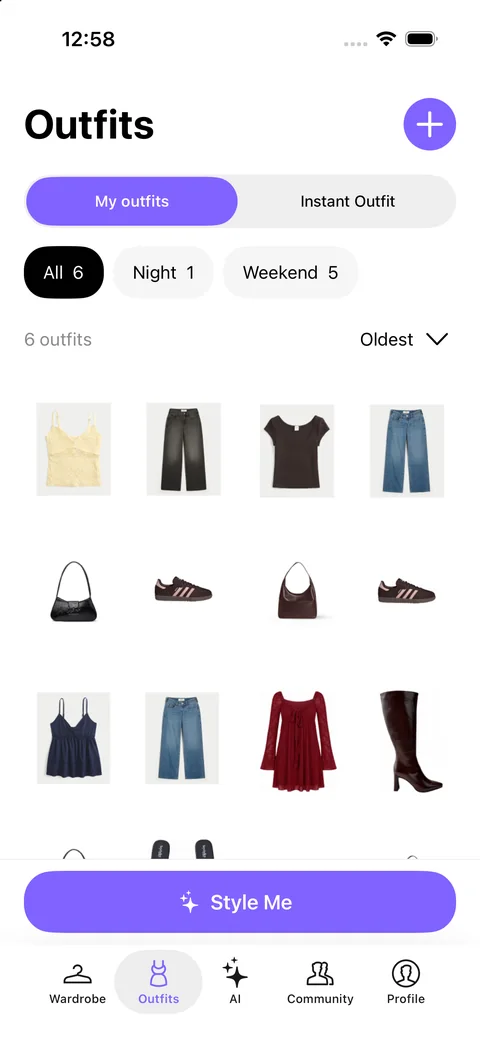
Keep your saved looks together in Pureple for iOS.
How to get outfit suggestions from your own clothes
Style Me starts with the items in your Pureple wardrobe. AI outfit suggestions require Pureple Pro; creating a look yourself is free.
- Add photos of the clothes you want to combine and check their categories.
- Open Outfits and tap Style Me. Follow the options shown in your app to choose what to include.
- Review the suggested combinations, then save a look you want to wear. You can return to your saved outfits later.
AI outfit planning on Android
Pureple for Android combines a free digital closet with paid Style Me outfit suggestions. Open Outfits → Style Me, choose categories such as Tops and Pants, and review the combinations made from your wardrobe. If your closet needs more items, follow the in-app guidance before trying again.
- Adding wardrobe items and creating manual outfits have no quantity limits.
- Style Me requires Pureple Pro on Android. Review and save suggestions you like.
- Feature screens and availability can differ from iOS. The screenshots below show the Android app.
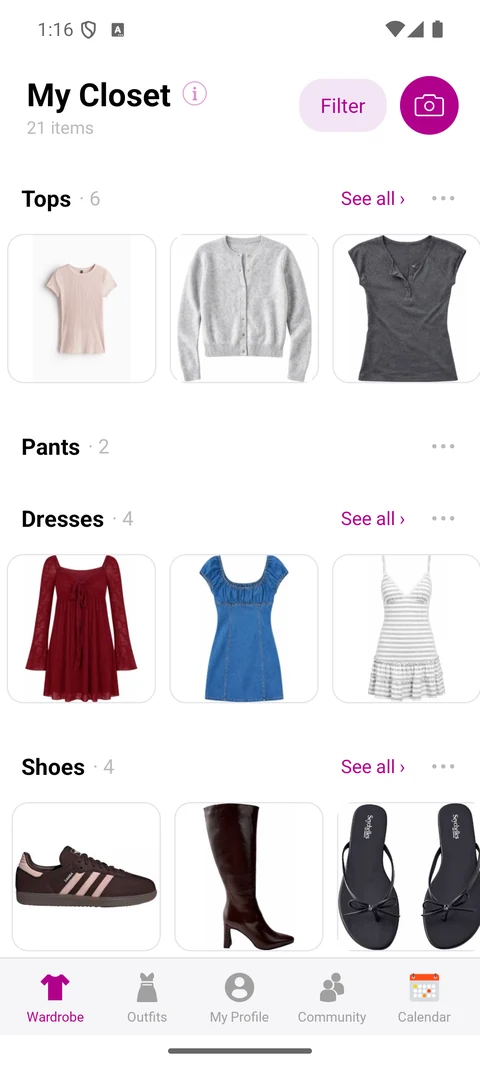
Manual outfit creation with no quantity limits
Adding wardrobe items and creating outfits manually are free. There is no quantity limit on wardrobe items or manually created outfits. AI Style Me suggestions require Pureple Pro.
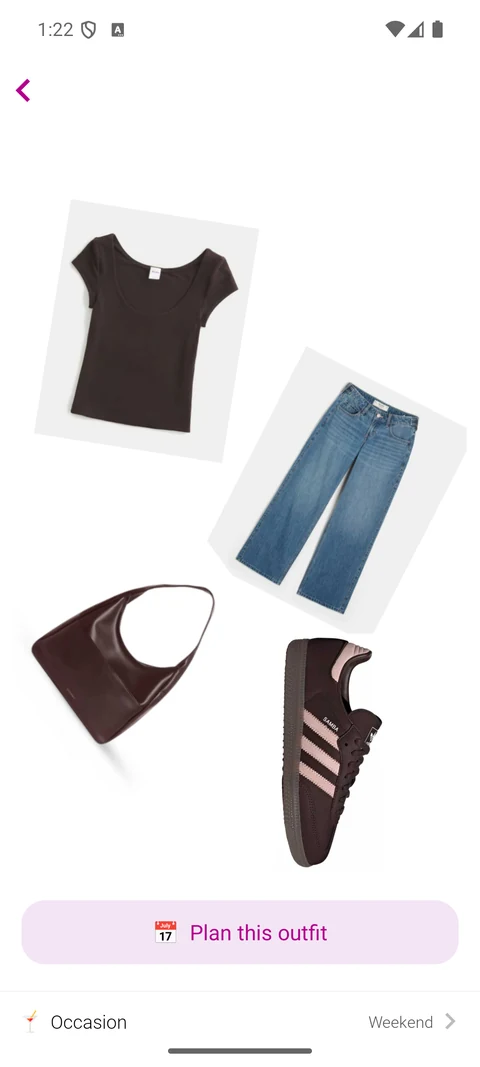
An outfit built from wardrobe pieces
The iOS outfit gallery above includes a look pairing a brown top with blue jeans, a brown bag and sneakers. It shows how individual pieces from a digital closet come together in one look. Add your own clothes to explore combinations from your wardrobe.
Keep your closet and outfit ideas together
An outfit planner starts with knowing what you own. Build a digital closet so you can use your own wardrobe as the starting point for outfit ideas.
Build your digital closetStart with a small capsule wardrobe
Try six combinations from seven pieces you already own. Our practical guide shows how to choose a small wardrobe and save your looks in Pureple.
Build a capsule wardrobe from your own clothesTravel planner and outfit calendar
Use Pureple Pro on iOS to create packing lists for trips and plan what to wear with the outfit calendar. Organize clothes and outfits for travel, work and everyday plans. Start with our weekend guide for a three-day outfit plan and a practical packing checklist.
Plan your travel outfits with our weekend guideChoosing between Pureple, Whering and Acloset
Compare the wardrobe workflow, free features and styling tools before photographing your whole closet. Our comparison links to each app’s official information.
Compare the three wardrobe appsCan an AI app match clothes I already own?
Yes. Pureple’s AI Style Me suggests outfit combinations from the clothes you add to your digital wardrobe. AI Style Me requires Pureple Pro. Adding wardrobe items and creating outfits manually are free, with no quantity limits.
Read more about Pureple’s AI outfit suggestionsStart with a few favorite pieces
Add a top, a bottom and a pair of shoes. Create your first outfit, then build your digital closet at your own pace.
Last reviewed: October 29, 2026