


Wardrobe guides
Outfit generator based on shoes
Choose the shoes for the walking you expect to do. Then choose the bottom. Its length and volume determine how much of the shoe you see.
Open the shoes first
In your iPhone closet, open Shoes and tap the pair you want to wear. On Item details, tap Create Outfit. Your selected pair is already on the canvas.
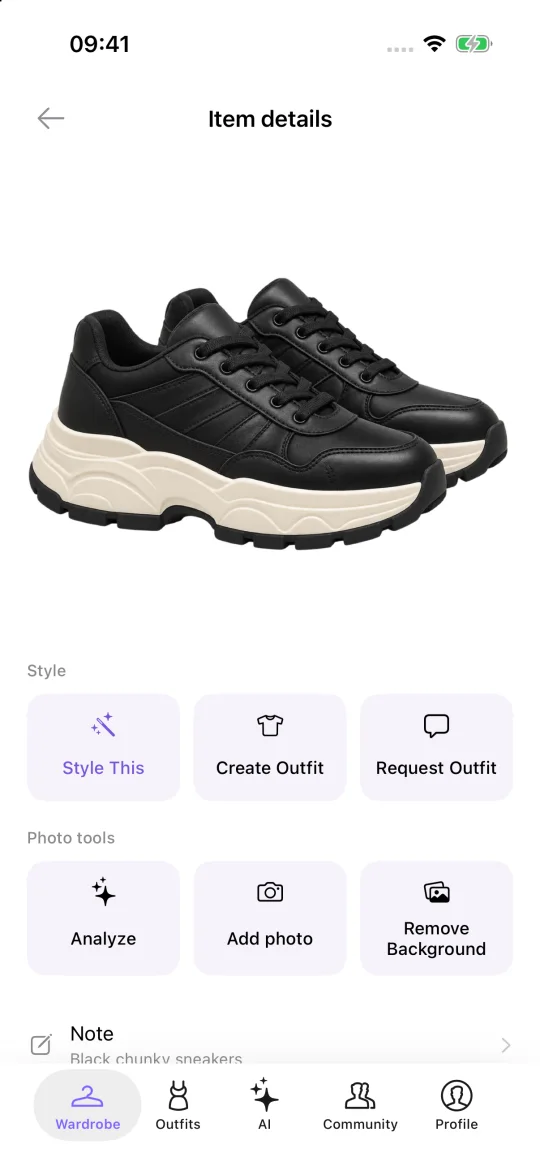
Try three versions
These combinations all use the same black sneakers. Swap in your own pieces with a similar cut.
- Weekend walk: straight blue jeans and a cream knit. A shorter hem leaves the shape of the sneaker visible.
- Casual office: cream trousers, a tucked tee and a cropped black jacket. Try this on a day when your dress code allows sneakers.
- Dinner with friends: plaid skirt, plain dark top and the same jacket. Keep the top simple so the plaid is easy to see.
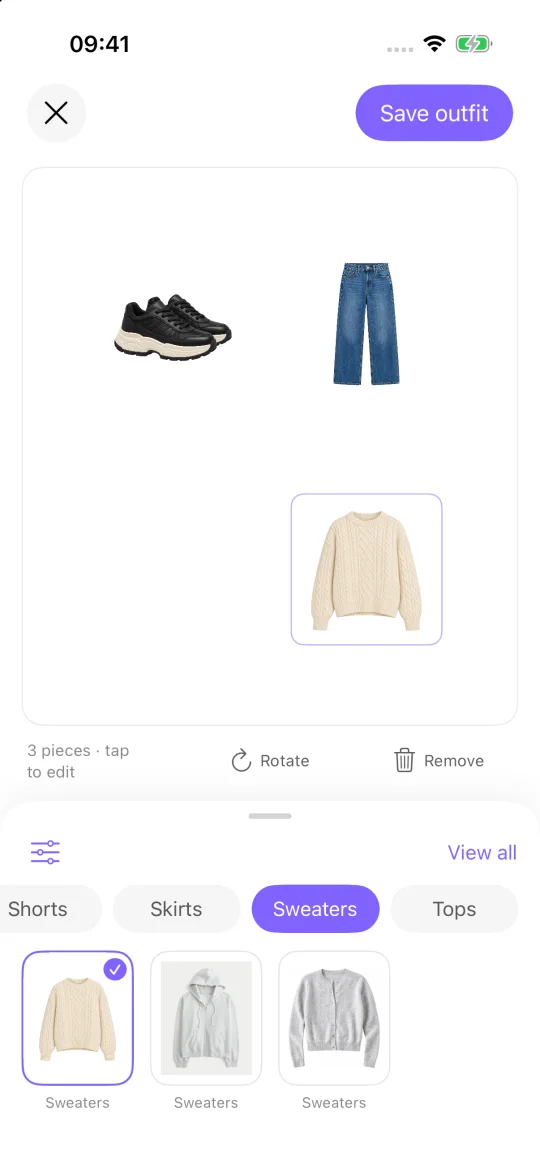
Save the version you would wear
Try the look on and walk a few steps. If the hem catches under the heel, change the bottom before saving. Tap Save outfit when the combination works.
See how manual outfit planning worksLast reviewed: November 24, 2026