


Pureple digital wardrobe
An easy way to create your online closet
Create a digital wardrobe in the Pureple app by adding photos of your clothes, shoes and accessories. Automatic categorization helps you get organized so you can find your items and ask the AI for outfit ideas. Start with a few pieces and add more over time. Adding wardrobe items and creating outfits manually are free, with no quantity limits. AI Style Me suggestions require Pureple Pro.
From your clothes to outfit ideas
Photograph your clothes
Add clear clothing photos in the Pureple iOS or Android app. Start with the tops, bottoms and shoes you wear most, then add more pieces whenever you want.
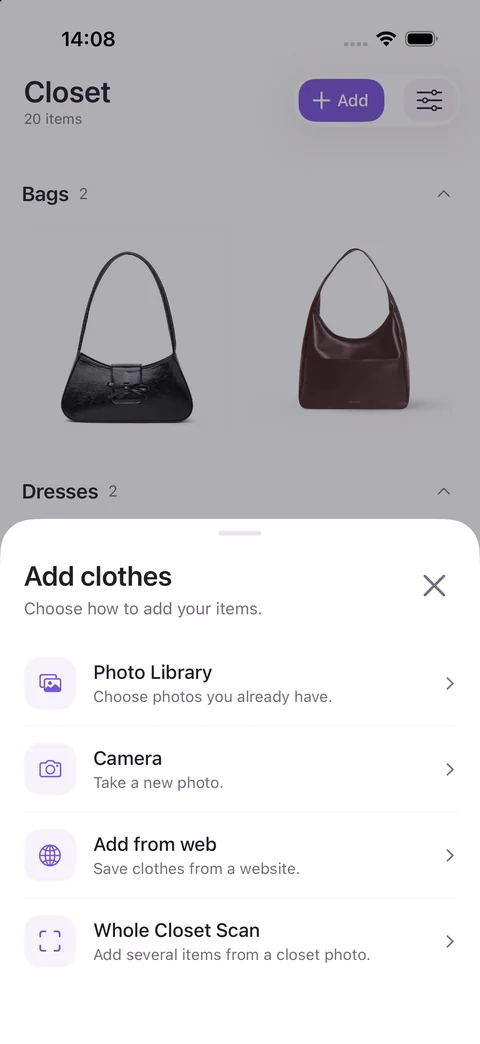
Choose how to add your clothes in Pureple for iOS. Organize by the details that matter
Pureple helps with automatic categorization. Organize your wardrobe by details such as season, occasion and color to find the clothes you want.
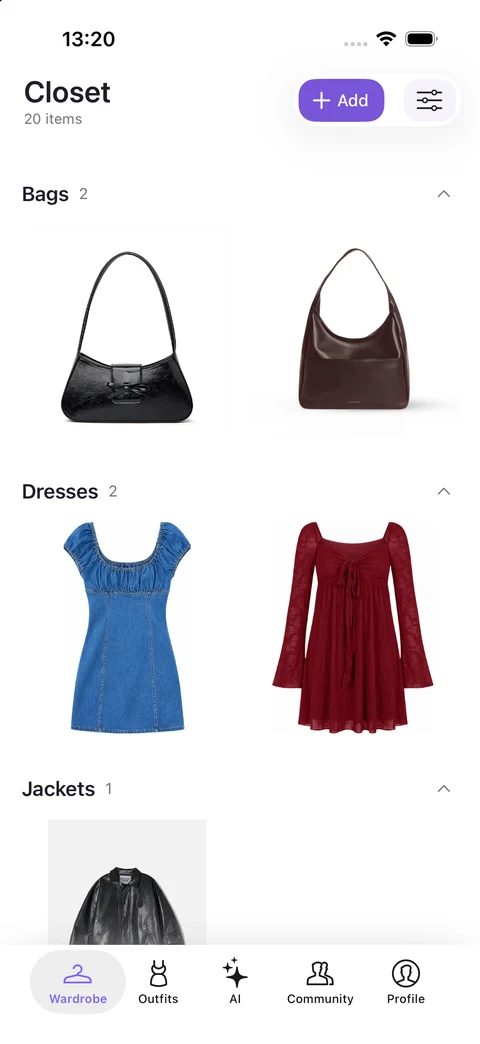
Organize your clothes by category in Pureple for iOS. Make outfits from what you own
Ask Pureple’s AI for outfit suggestions using the pieces you have added. Keep your clothing and saved outfit ideas together in the app. AI Style Me requires Pureple Pro. You can also create outfits manually for free.
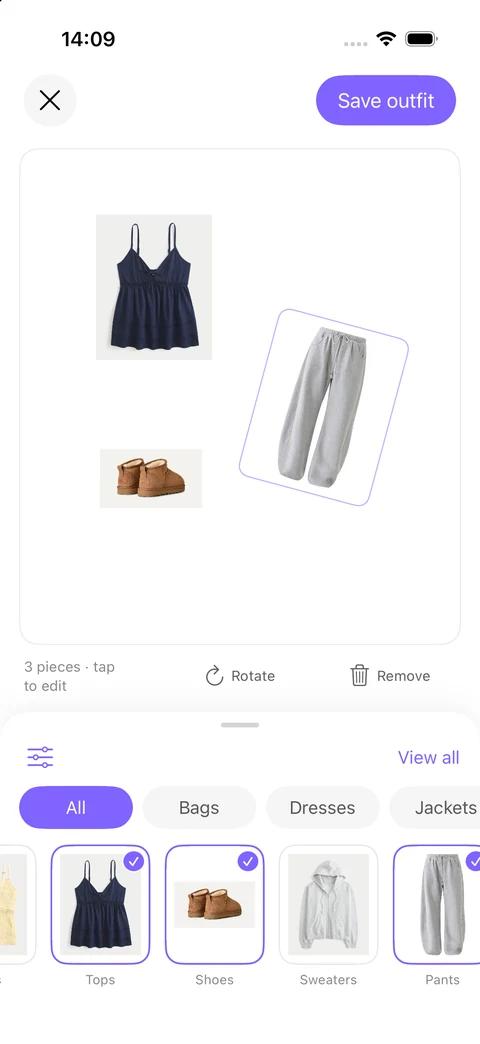
Combine wardrobe pieces in the iOS outfit editor.
Add several items from one closet photo
Whole Closet Scan is a Pureple Pro feature for iOS. Choose a closet photo, review the clothing items Pureple detects, correct their details and save the pieces you want. Scans start with descriptive thumbnails; you can add individual clothing photos later. Availability varies by region and app version. Look for Add clothes → Whole Closet Scan in the app.

Add wardrobe items without a quantity limit
Adding wardrobe items is free. Start with a few favorite pieces or add your whole closet, with no limit on the number of items.
Turn your digital wardrobe into outfit ideas
Use Pureple’s outfit planner to explore combinations from the clothes you have added.
See how outfit planning worksStart with a small capsule wardrobe
Try six combinations from seven pieces you already own. Our practical guide shows how to choose a small wardrobe and save your looks in Pureple.
Build a capsule wardrobe from your own clothesHow do I create a digital wardrobe from clothing photos?
Add photos of your clothes, shoes and accessories in the Pureple app. Automatic categorization helps organize your items, and you can use details such as color, season and occasion to find them. Start with a few pieces and build your closet gradually. Adding wardrobe items is free, with no quantity limit.
Read the digital closet FAQStart with a few favorite pieces
Add a top, a bottom and a pair of shoes. Create your first outfit, then build your digital closet at your own pace.
Last reviewed: October 22, 2026